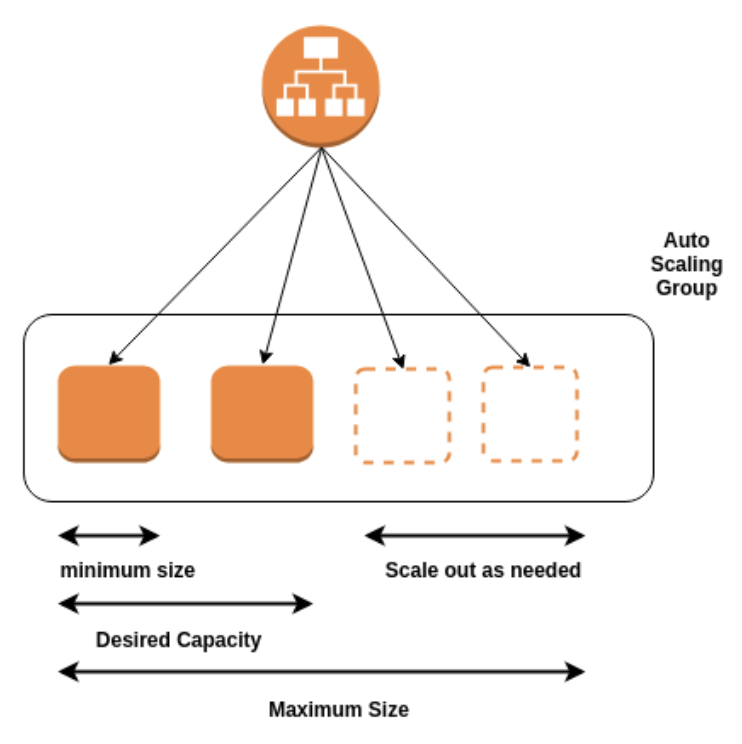
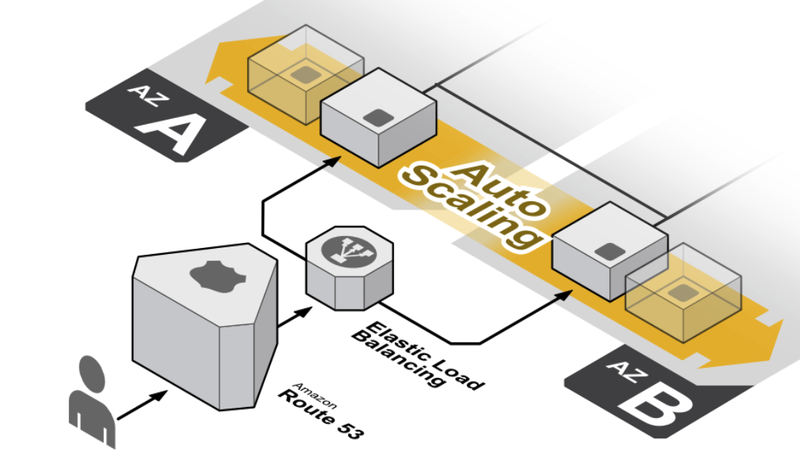
1) 쿠버네티스의 오토스케일 서브 프로젝트
2) HPA 실습
vi Dockerfile
FROM php:7.0-apache
ADD ./index.php /var/www/html/index.php
RUN chmod a+rx /var/www/html/*.php
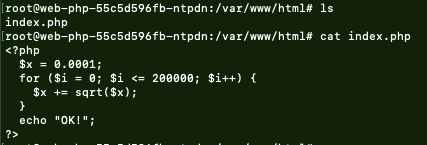
vi index.php
<?php
  $x = 0.0001;
for ($i = 0; $i <= 200000; $i++) {
    $x += sqrt($x);
}
  echo "OK!";
?>
docker build --tag minji/auto:1.0 ./
docker push minji/auto:1.0
auto-deploy.yml
apiVersion: apps/v1
kind: Deployment
metadata:
name: web-php
spec:
replicas: 1
selector:
matchLabels:
run: web-php
  template:
metadata:
labels:
run: web-php
    spec:
containers:
- image: [허브에 업로드한 이미지]  ex) minji/auto:1.0
name: web-php
        resources:
requests:
cpu: 200m
 spec:
containers:
- image: ghdalswl77/auto:1.0
name: web-php
        resources:
limits:
cpu: 500m
          requests:
cpu: 200m
auto-svc.yml
apiVersion: v1
kind: Service
metadata:
name: web-php
spec:
type: NodePort
  selector:
run: web-php
  ports:
- port: 80
protocol: TCP
nodePort: 31446
kubectl apply -f auto-deploy.yml
kubectl apply -f auto-svc.yml

kubectl get service

kubectl get pods -o wide

kubectl exec -it web-php-55c5d596fb-ntpdn bash
kubectl get hpa

kubectl autoscale deployment web-php --cpu-percent=50 --min=1 --max=10


📍 kube-system/metrics-server false (missingendpoints),
kubectl get hpa <unknown> 에러 해결
kubectl get apiservices | grep metric

wget https://github.com/kubernetes-sigs/metrics-server/releases/download/v0.4.0/components.yaml
vi components.yaml
- --kubelet-insecure-tls
- --kubelet-preferred-address-types=InternalIP
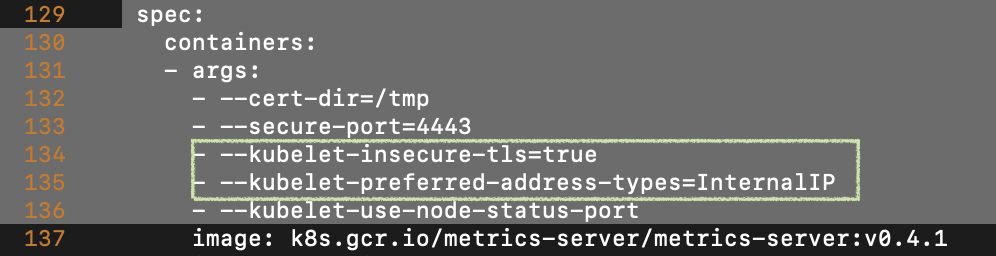
hostNetwork: true

kubectl apply -f components.yaml

hpa 생성
autoscale deployment web-php --cpu-percent=50 --min=1 --max=10

kubectl run -it busybox --restart=Never --image=busybox sh

# --restart=Never 옵션: 컨테이너 생성하지 않고 pod 실행.
while true; do wget -q -O - http://web-php > /dev/null; done
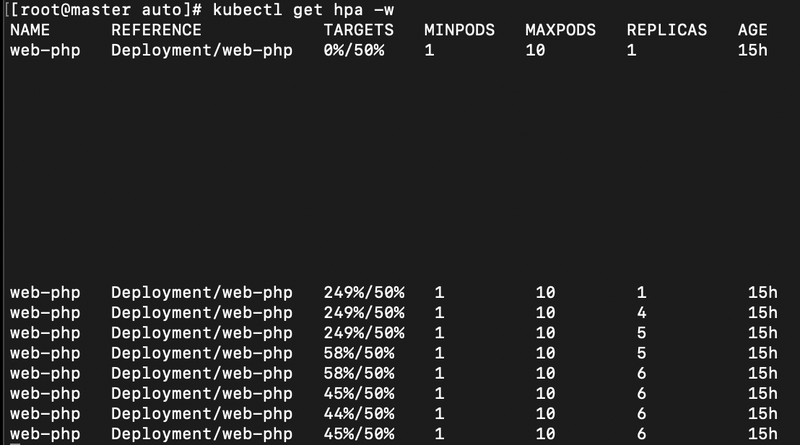
kubectl get hpa -w