스토리지 관련 클라우드 서비스
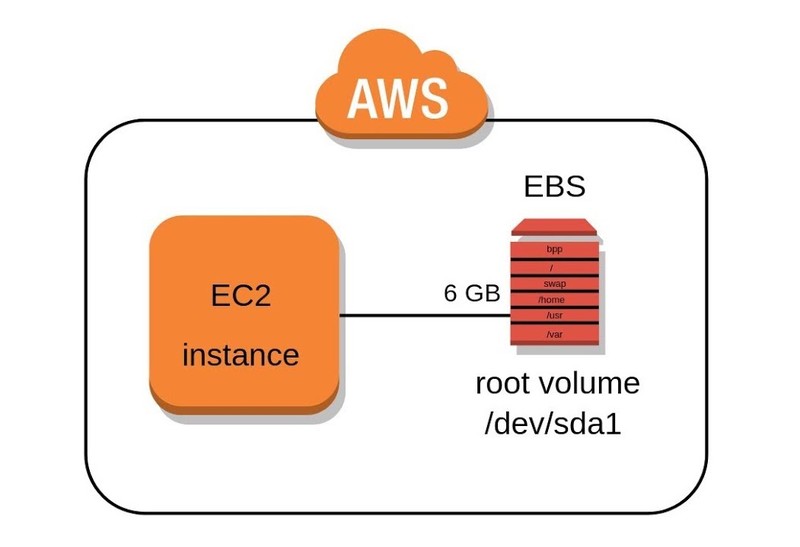
✅ EBS (Elastic Block Storage) 활용 예제
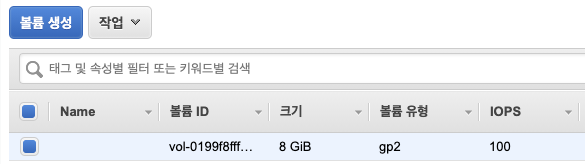
lsblk
xvda 8G
xvda1 8G
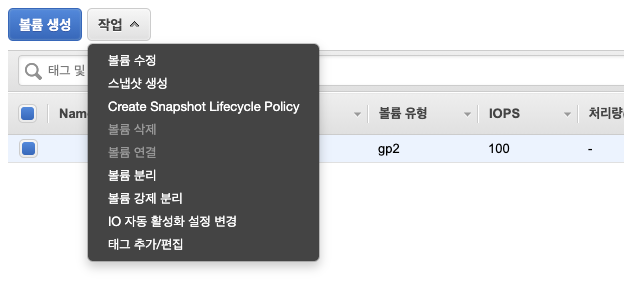
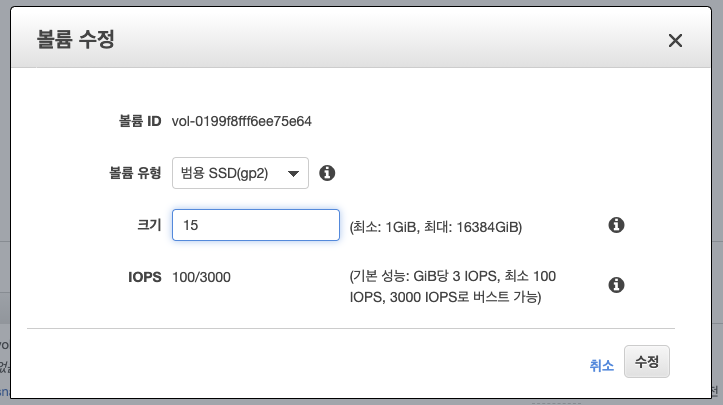
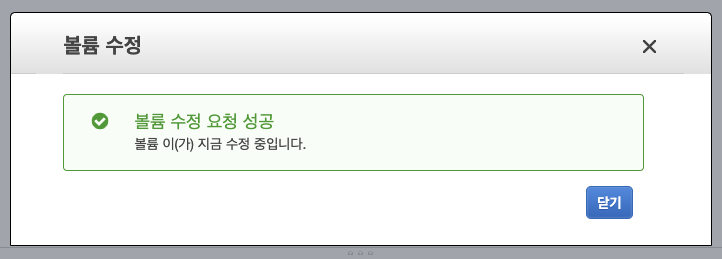

2. 리눅스 인식
lsblk
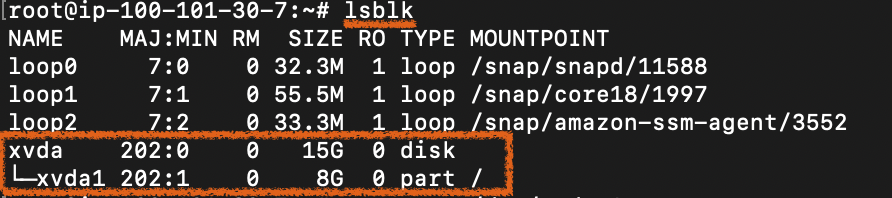
growpart /dev/xvda 1
lsblk

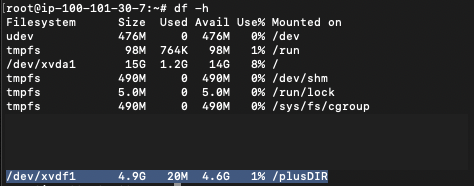
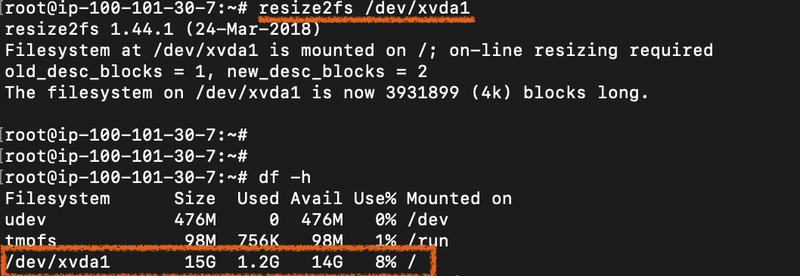
df -h
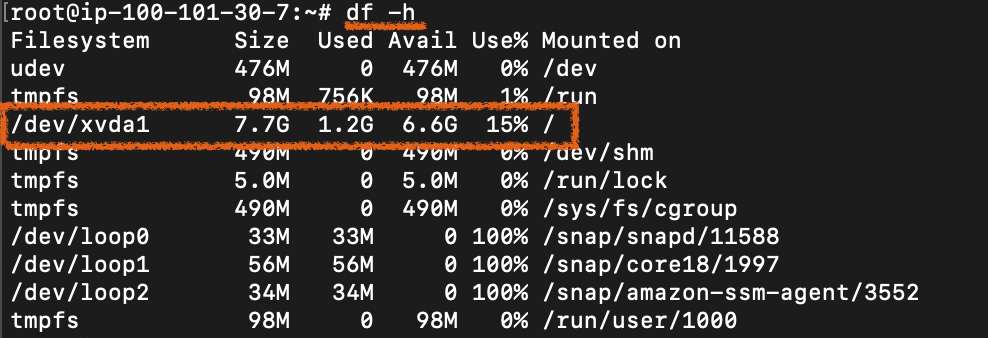
resize2fs /dev/xvda1

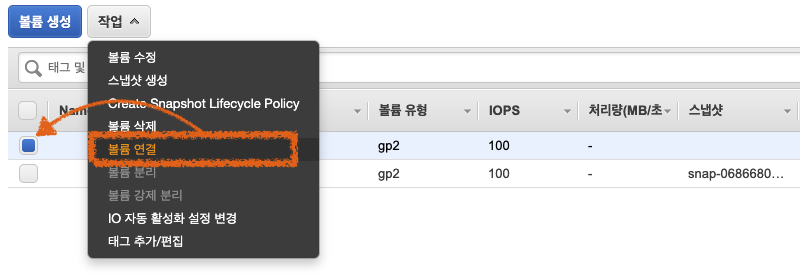
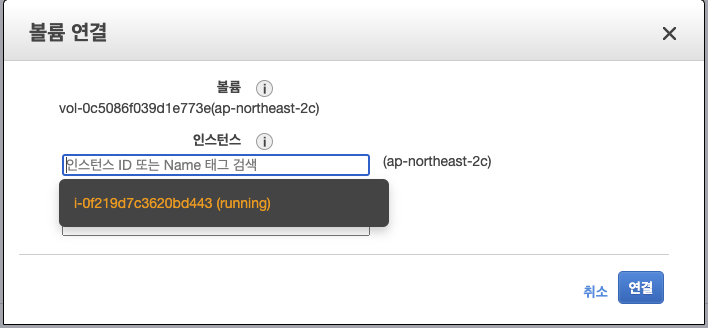
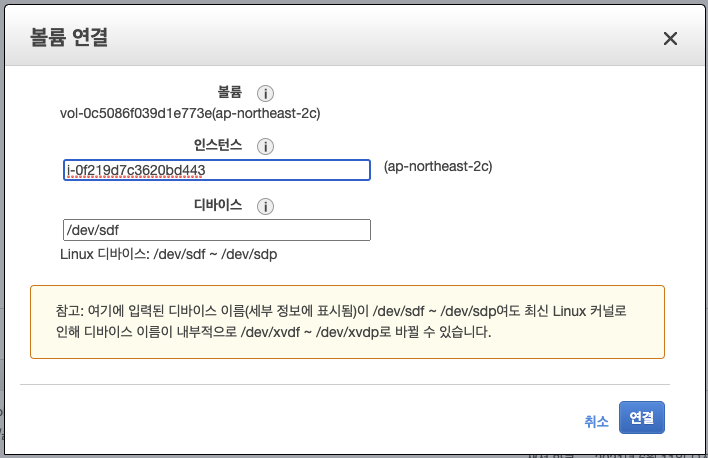
fdisk -l

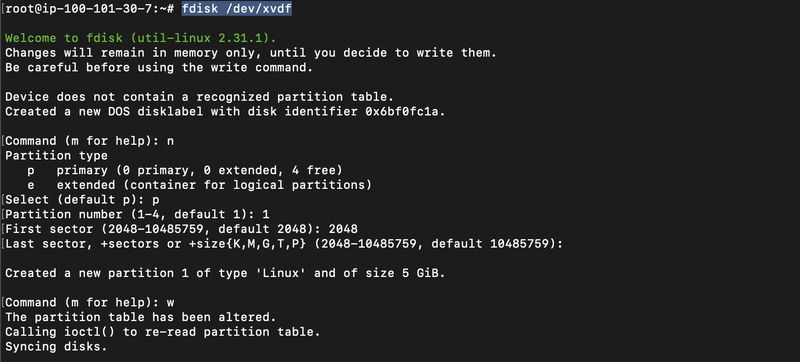
fdisk /dev/[디스크명]
Command (m for help): n

Partition type:
   p   primary (0 primary, 0 extended, 4 free)
   e   extended
Select (default p) : p

Partition number (1-4, default 1): 1

First sector (2048-4294967295, default 2048): 2048

Last sector, +sectors or +size{K,M,G} (2048-4294967294, default 4294967294):
#Enter를 치면 default로 잡힌다.

Partition 1 of type Linux and of size 2 TiB is set
#하드디스크의 용량은 4TB이지만, 파티션에 할당할 수 있는 최대 크기는 2TB다.
Command (m for help): w
The partition table has been altered!
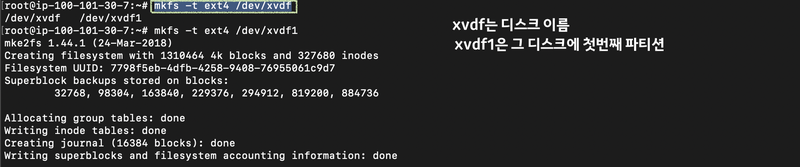
mkfs -t [파일시스템] /dev/[디스크명]
mount -t ext4 /dev/xvdf1 /plusDIR/
df -h