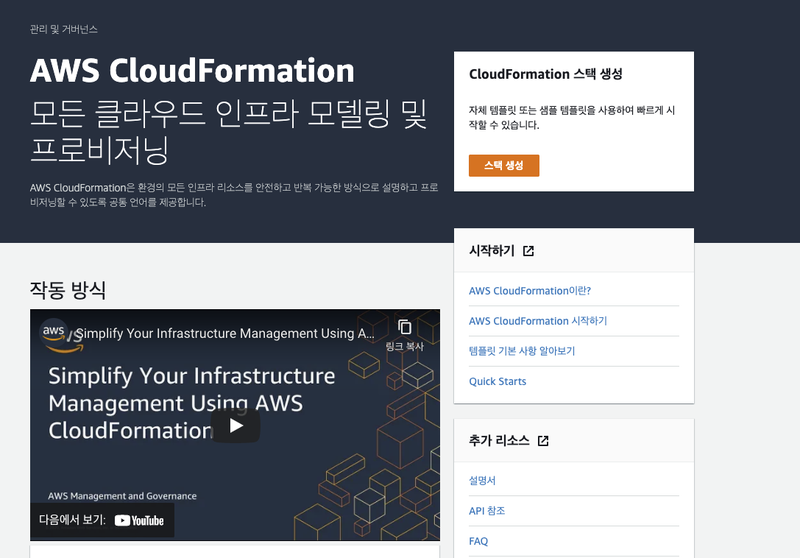
🧞♂️CloudFormation 이란?
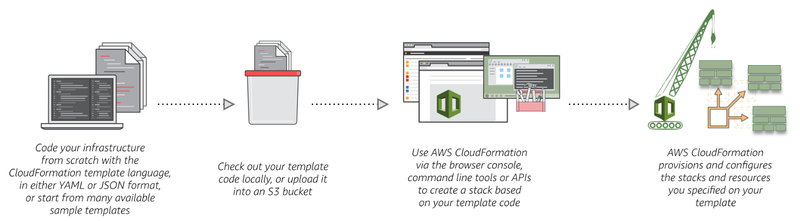
🕹 CloudFormation,
어떻게 작동할까?
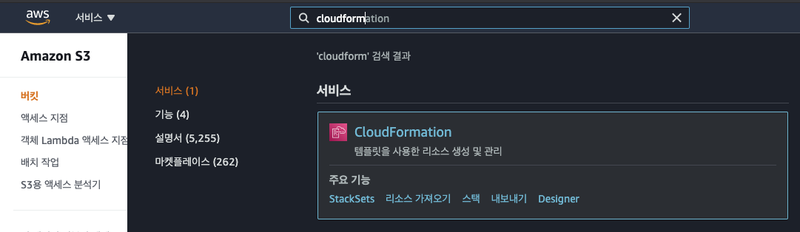
❇️CloudFormation, 어떻게 만들지?🧐
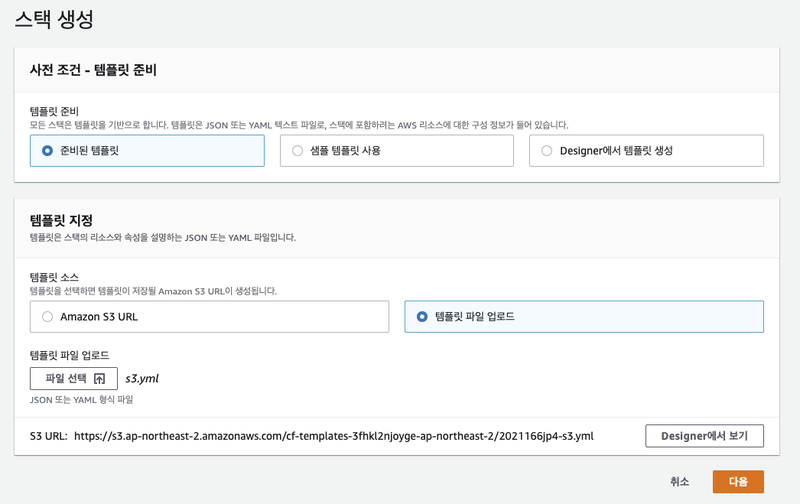
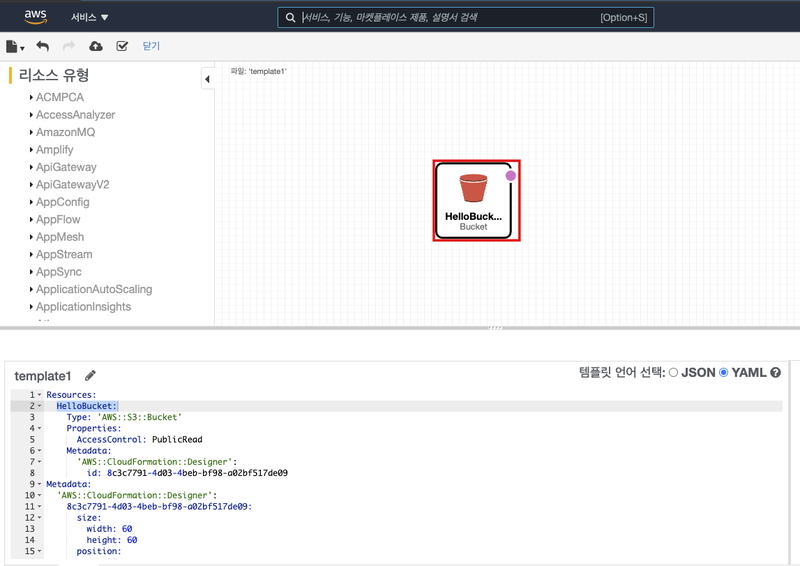
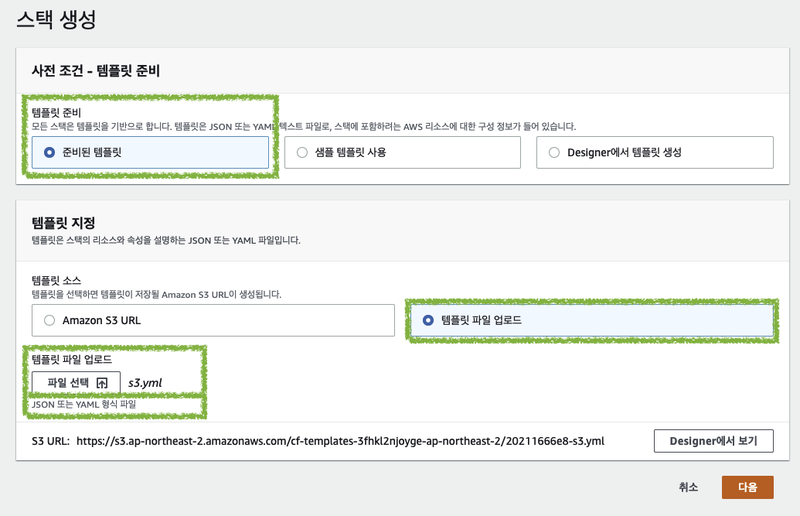
yml 파일로 인스턴스 생성하기
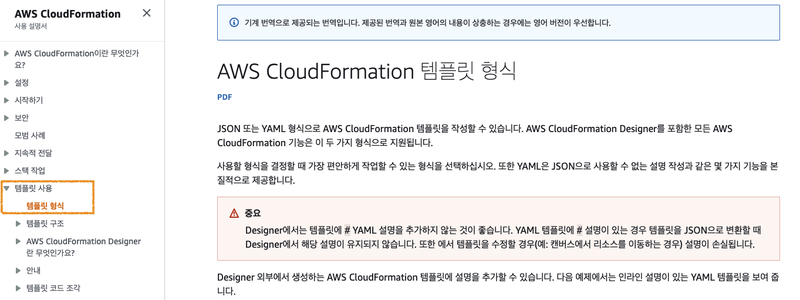
AWSTemplateFormatVersion: "2010-09-09"
Description: A sample template
Resources:
MyEC2Instance: #An inline comment #이름
    Type: "AWS::EC2::Instance"
Properties:
ImageId: "ami-0ff8a91507f77f867" #Another comment -- This is a Linux AMI
InstanceType: t2.micro
      KeyName: testkey
      BlockDeviceMappings:
-
DeviceName: /dev/sdm
Ebs:
VolumeType: io1
            Iops: 200
DeleteOnTermination: false
VolumeSize: 20
AWSTemplateFormatVersion: "2010-09-09"
Description: A sample template
Resources:
MyEC2Instance:
Type: "AWS::EC2::Instance"
Properties:
ImageId: "ami-00f90da52b0b4dd7e"
                    #내 이미지 아이디
      InstanceType: t2.micro
      KeyName: key #내 키페어 아이디
      BlockDeviceMappings:
-
DeviceName: /dev/sdm
Ebs:
VolumeType: gp2
            DeleteOnTermination: false
VolumeSize: 8

# 파라미터 생성
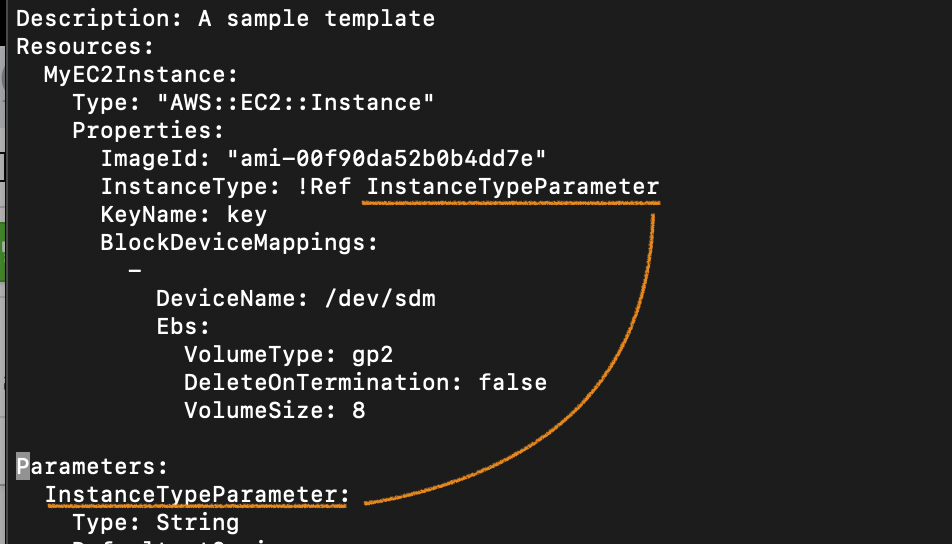
~~Type:!Ref ~~Parameter

Parameters:
~~Parameter:
AWSTemplateFormatVersion: "2010-09-09"
Description: A sample template
Resources:
MyEC2Instance:
Type: "AWS::EC2::Instance"
Properties:
ImageId: "ami-00f90da52b0b4dd7e" #내 이미지 아이디
      InstanceType: !Ref InstanceTypeParameter
      KeyName: !Ref KeyNameParameter
      BlockDeviceMappings:
-
DeviceName: /dev/sdm
Ebs:
VolumeType: gp2
            DeleteOnTermination: false
VolumeSize: 8
Parameters:
InstanceTypeParameter:
Type: String
    Default: t2.micro
    AllowedValues:
- t2.micro
    - m1.small
    - m1.large

  KeyNameParameter:
Type: String
    Default: key #내 키페어 중, 이 인스턴스에 기본 설정할 키페어
    AllowedValues:
- key   #내 키페어 이름1
- test  #내 키페어 이름2
VolumeSizeParameter:
Type: Number
    Default: 8
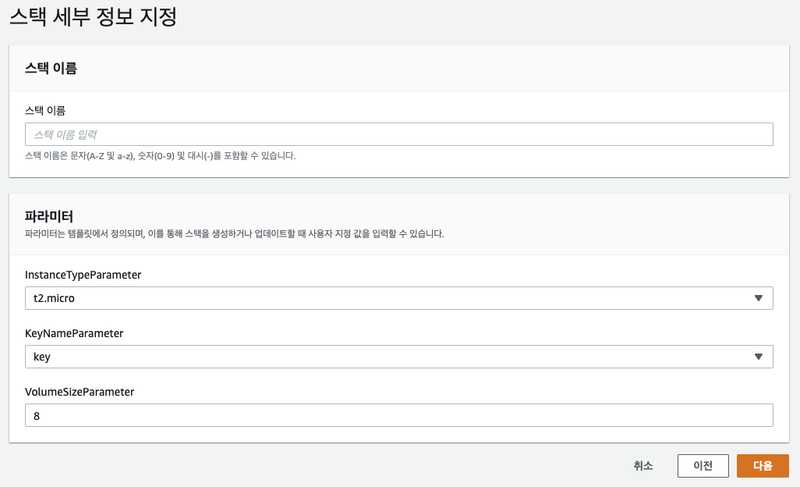
[ 로드밸런싱 인스턴스 생성 ]
Type: AWS::ElasticLoadBalancingV2::LoadBalancer
Properties:
IpAddressType: String
  LoadBalancerAttributes:
- LoadBalancerAttribute
  Name: String
  Scheme: String
  SecurityGroups:
- String
  SubnetMappings:
- SubnetMapping
  Subnets:
- String
  Tags:
- Tag
  Type: String
AWSTemplateFormatVersion: "2010-09-09"
Description: A sample template
Resources:
StackELB:
Type: AWS::ElasticLoadBalancingV2::LoadBalancer
    Properties:
IpAddressType: ipv4
      Name: Stack-elb
      SecurityGroups:
- 가용 영역 확인!! 같은 대역인지 확인.
Subnets:
- subnet-01fef705083787939
        - subnet-017d8466dfb65b1f9
      Type: application
[ 리스너 추가 ]
AWSTemplateFormatVersion: "2010-09-09"
Description: A sample template
Resources:
StackELB:
Type: AWS::ElasticLoadBalancingV2::Listener
    Properties:
DefaultActions:
- Type: "forward"
ForwardConfig:
TargetGroups:
- TargetGroupArn: "arn:aws:elasticloadbalancing:ap-northeast-2:515646566224:targetgroup/a/6e0889e09ac21ea0"
LoadBalancerArn: "arn:aws:elasticloadbalancing:ap-northeast-2:515646566224:loadbalancer/app/Stack-elb/c58d329a4e0806da"
Port: 80
Protocol: "HTTP"
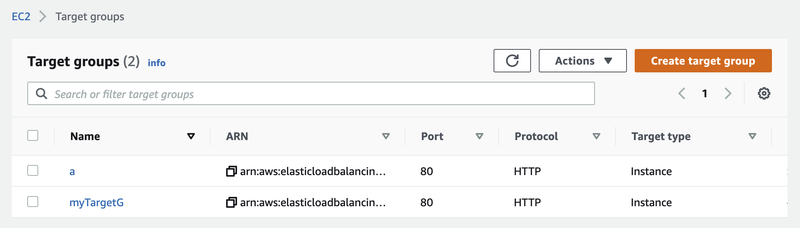
[ 타겟그룹 추가 ]
AWSTemplateFormatVersion: "2010-09-09"
Description: A sample template
Resources:
StackELB:
Type: AWS::ElasticLoadBalancingV2::TargetGroup
    Properties:
HealthCheckEnabled: True
      HealthCheckIntervalSeconds: 30
HealthCheckPath: /
HealthCheckPort: 80
HealthCheckProtocol: HTTP
HealthCheckTimeoutSeconds: 5
HealthyThresholdCount: 5
Matcher:
HttpCode: 200
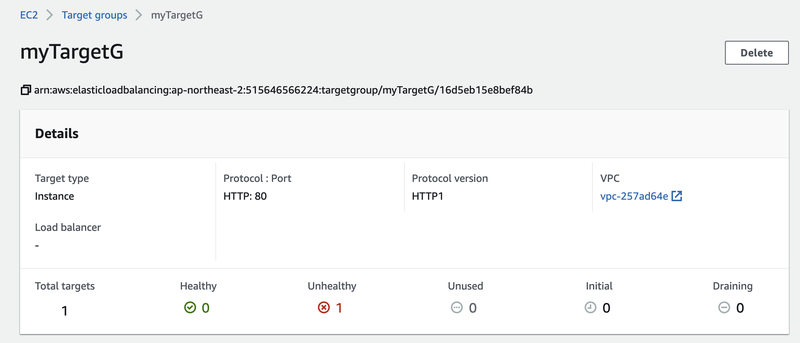
Name: myTargetG
      Port: 80
Protocol: HTTP
TargetType: instance
      UnhealthyThresholdCount: 2
VpcId: vpc-257ad64e
💡 yml 파일 작성 팁 :
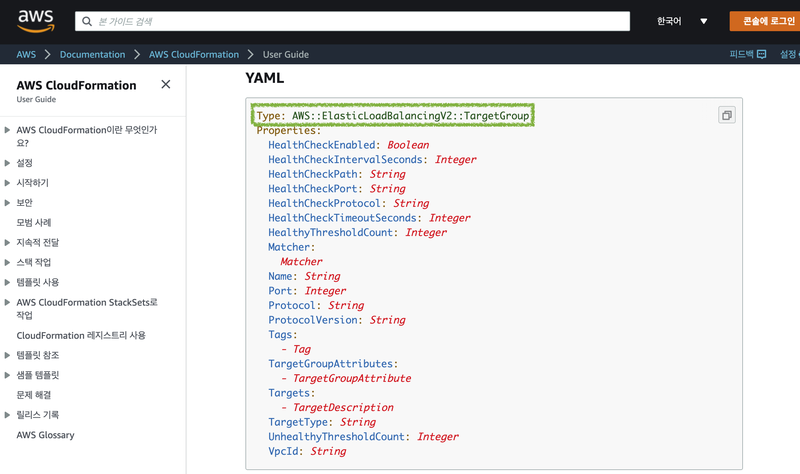
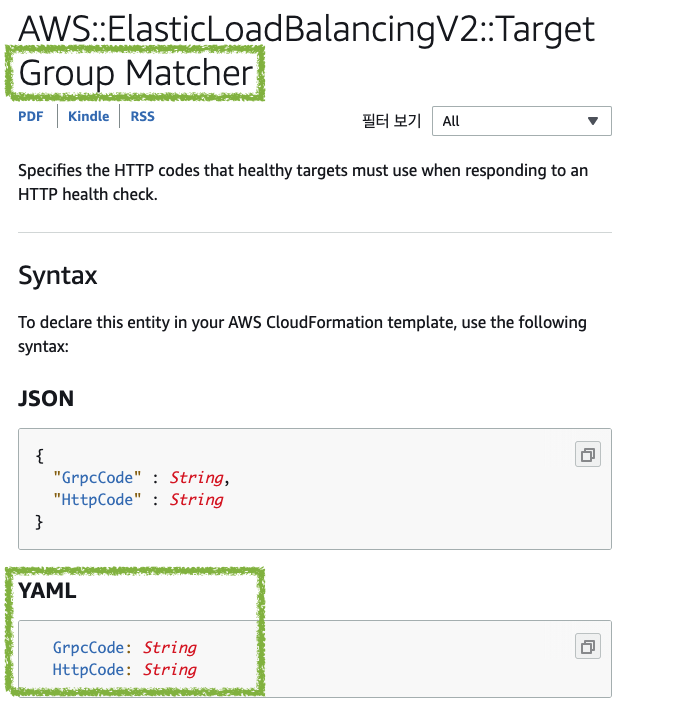
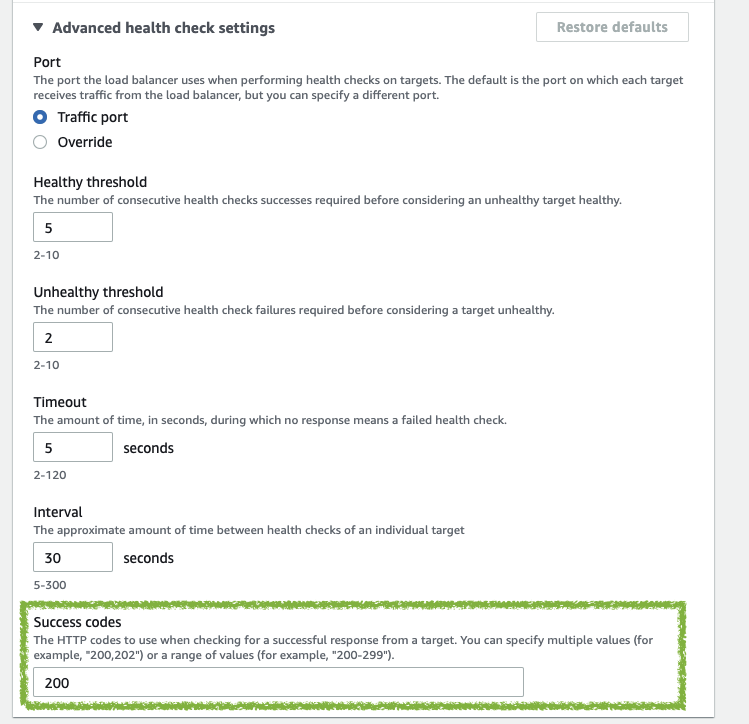
Matcher:
HttpCode: 200
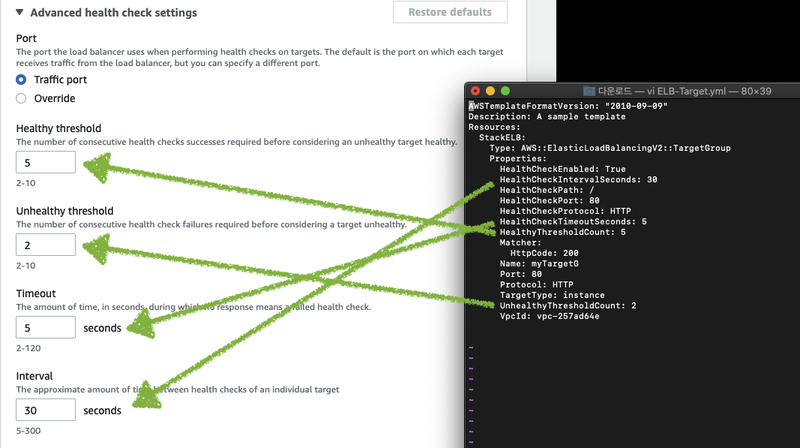
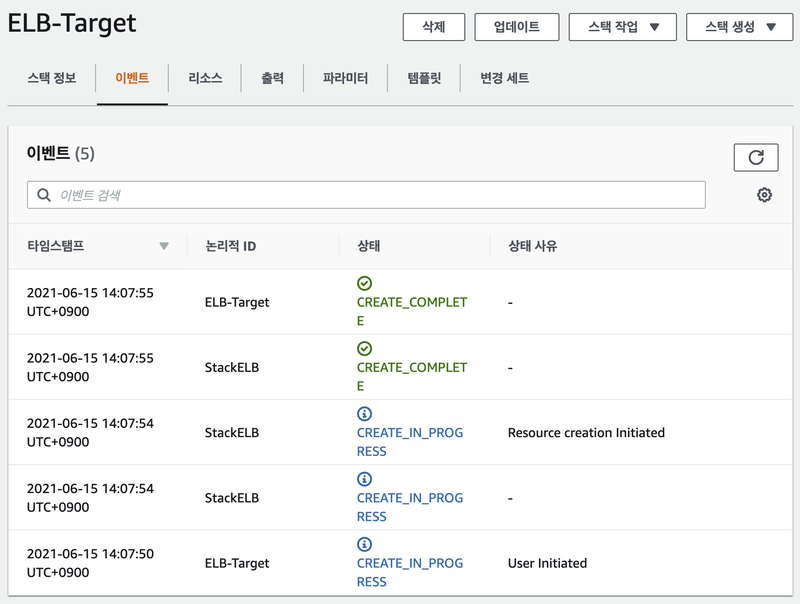
AWSTemplateFormatVersion: "2010-09-09"
Description: A sample template
Resources:
StackELB:
Type: AWS::ElasticLoadBalancingV2::Listener
    Properties:
DefaultActions:
- Type: "forward"
ForwardConfig:
TargetGroups:
- TargetGroupArn: !Ref
      Protocol: "HTTP"
[ TargetGroup, LoadBalancer, Listener 전체 생성 ]
AWSTemplateFormatVersion: "2010-09-09"
Description: A sample template

Resources:
MyTargetGroup:
Type: AWS::ElasticLoadBalancingV2::TargetGroup
    Properties:
HealthCheckEnabled: True
      HealthCheckIntervalSeconds: 30
HealthCheckPath: /
HealthCheckPort: 80
HealthCheckProtocol: HTTP
HealthCheckTimeoutSeconds: 5
HealthyThresholdCount: 5
Matcher:
HttpCode: 200
Name: myTargetG
      Port: 80
Protocol: HTTP
TargetType: instance
      UnhealthyThresholdCount: 2
VpcId: vpc아이디

  StackELB:
Type: AWS::ElasticLoadBalancingV2::LoadBalancer
    Properties:
IpAddressType: ipv4
      Name: Stack-elb
      SecurityGroups:
- 보안그룹 아이디
      Subnets:
- 서브넷 아이디
        - 서브넷 아이디(두개가 달라야함)
Type: application


  HTTPlistener:
Type: AWS::ElasticLoadBalancingV2::Listener
    DependsOn:
- MyTargetGroup
     - StackELB
    Properties:
DefaultActions:
- Type: "forward"
ForwardConfig:
TargetGroups:
- TargetGroupArn: !Ref MyTargetGroup
      LoadBalancerArn: !Ref StackELB
      Port: 80
Protocol: "HTTP"
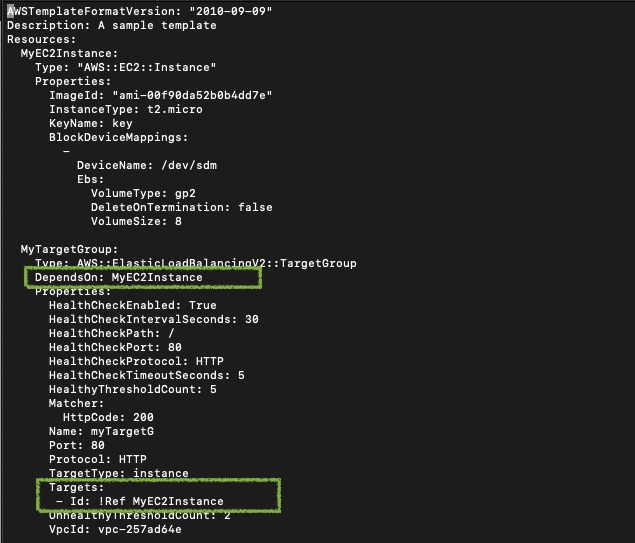
[ TargetGroup, LoadBalancer, Listener
+ EC2 전체 생성 ]
Description: A sample template
Resources:
MyEC2Instance:
Type: "AWS::EC2::Instance"
Properties:
ImageId: "이미지ID"
InstanceType: t2.micro
      KeyName: 키페어 이름
      BlockDeviceMappings:
-
DeviceName: /dev/sdm
Ebs:
VolumeType: gp2
            DeleteOnTermination: false
VolumeSize: 8
MyTargetGroup:
Type: AWS::ElasticLoadBalancingV2::TargetGroup
    DependsOn: MyEC2Instance
    Properties:
HealthCheckEnabled: True
      HealthCheckIntervalSeconds: 30
HealthCheckPath: /
HealthCheckPort: 80
HealthCheckProtocol: HTTP
HealthCheckTimeoutSeconds: 5
HealthyThresholdCount: 5
Matcher:
HttpCode: 200
Name: myTargetG
      Port: 80
Protocol: HTTP
TargetType: instance
      Targets:
- Id: !Ref MyEC2Instance
      UnhealthyThresholdCount: 2
VpcId: vpc-257ad64e

  StackELB:
Type: AWS::ElasticLoadBalancingV2::LoadBalancer
    Properties:
IpAddressType: ipv4
      Name: Stack-elb
      SecurityGroups:
- 보안그룹ID
Subnets:
- 서브넷ID
- 서브넷ID
Type: application


  HTTPlistener:
Type: AWS::ElasticLoadBalancingV2::Listener
    DependsOn:
- MyTargetGroup
     - StackELB
    Properties:
DefaultActions:
- Type: "forward"
ForwardConfig:
TargetGroups:
- TargetGroupArn: !Ref MyTargetGroup
      LoadBalancerArn: !Ref StackELB
      Port: 80
Protocol: "HTTP"