POST
[API Gateway 함수 생성]
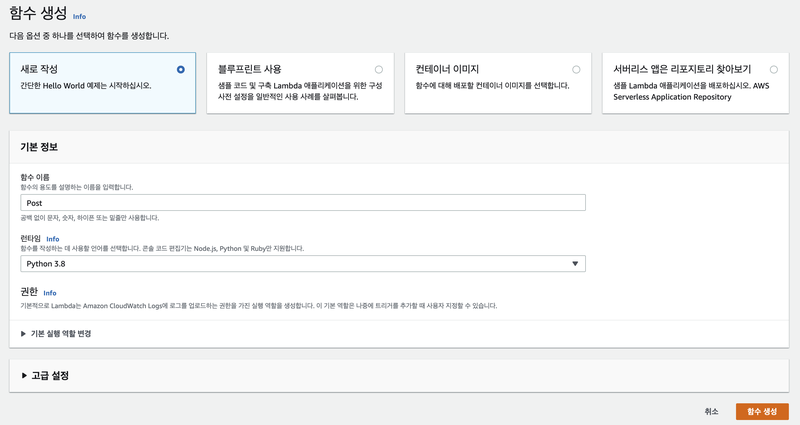
Post 람다 함수 생성
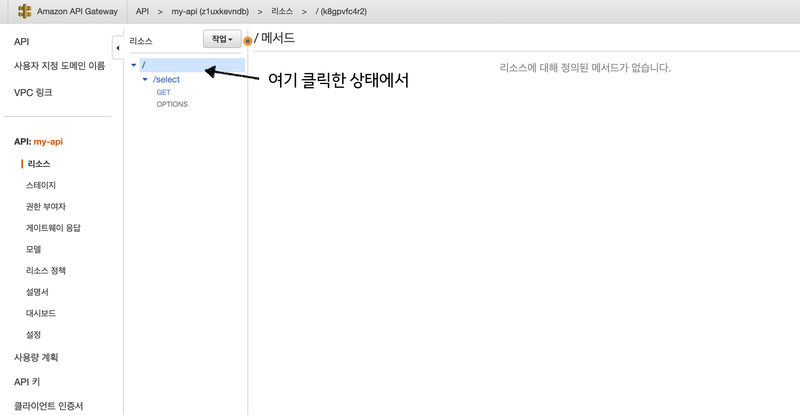
/ 에서 [작업] [리소스 생성]
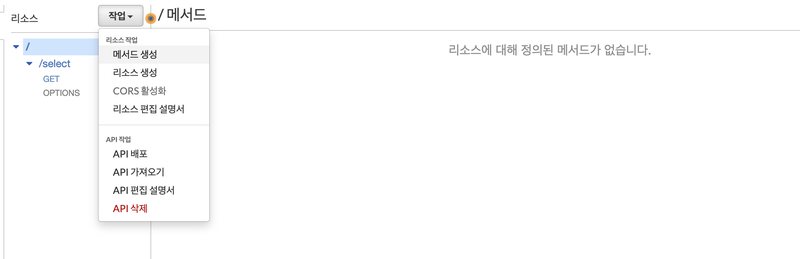
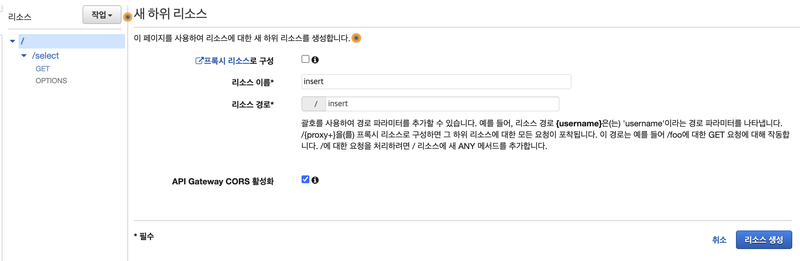
insert 리소스 생성
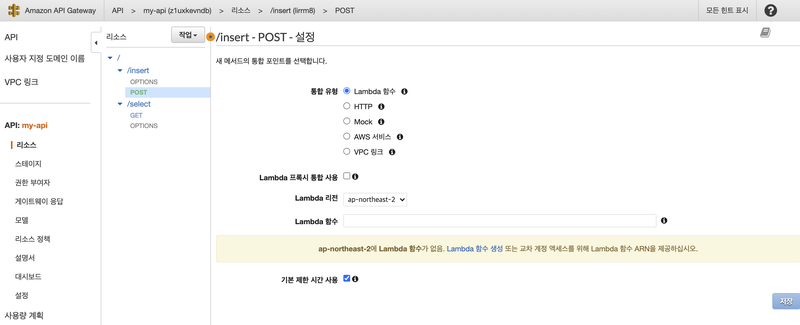
우클릭해서 POST 생성
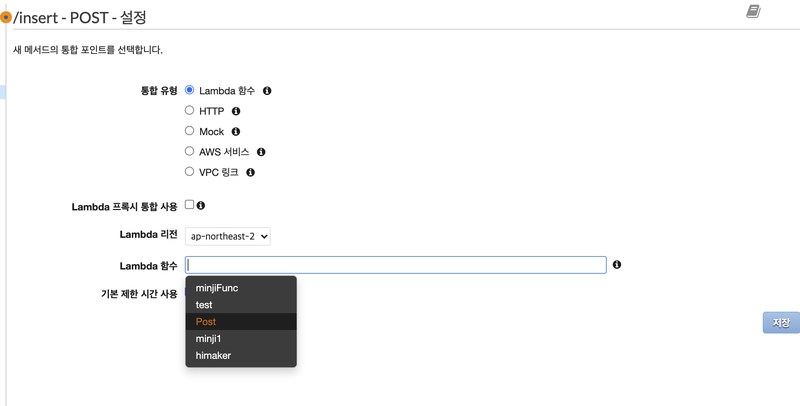
Post 람다 함수 지정
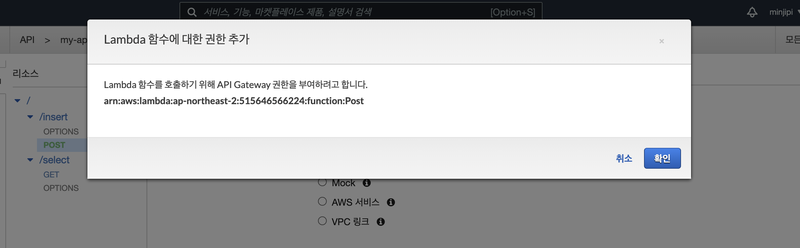
확인
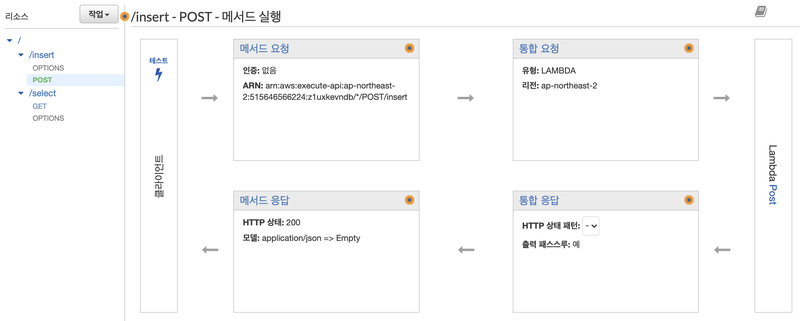
GET : URL에 데이터 태워서 요청 (게시글)
POST : BODY에 데이터 요청 (아이디 패스워드 등) ✅
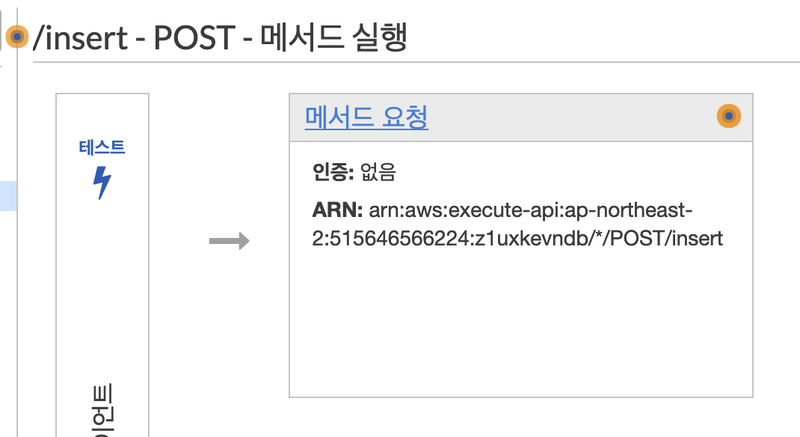
메서드 요청 클릭
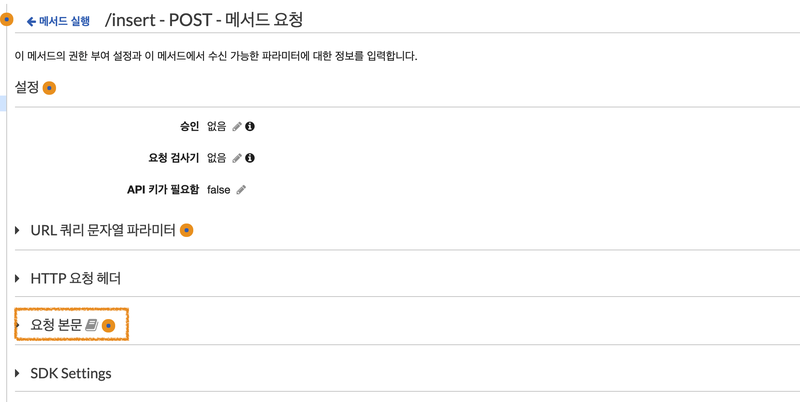
HTTP 요청 헤더는 GET 방식.
POST 방식은 '요청본문'에서
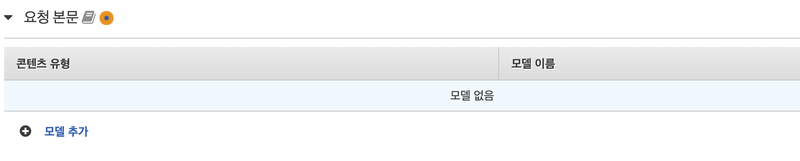
모델추가

이렇게 작성.
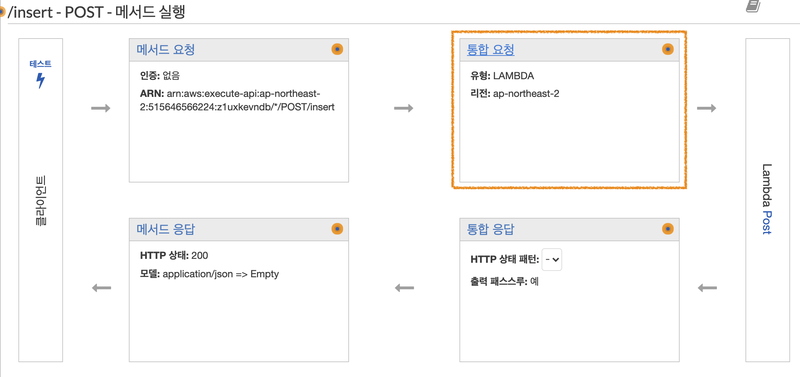
통합요청
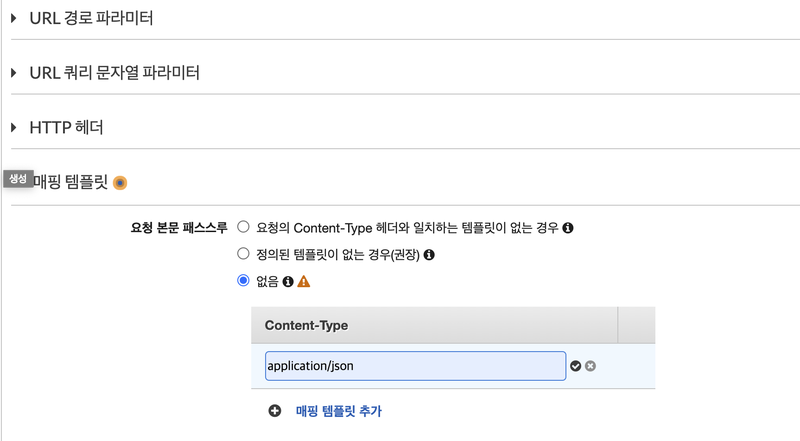
매핑 템플릿 추가.
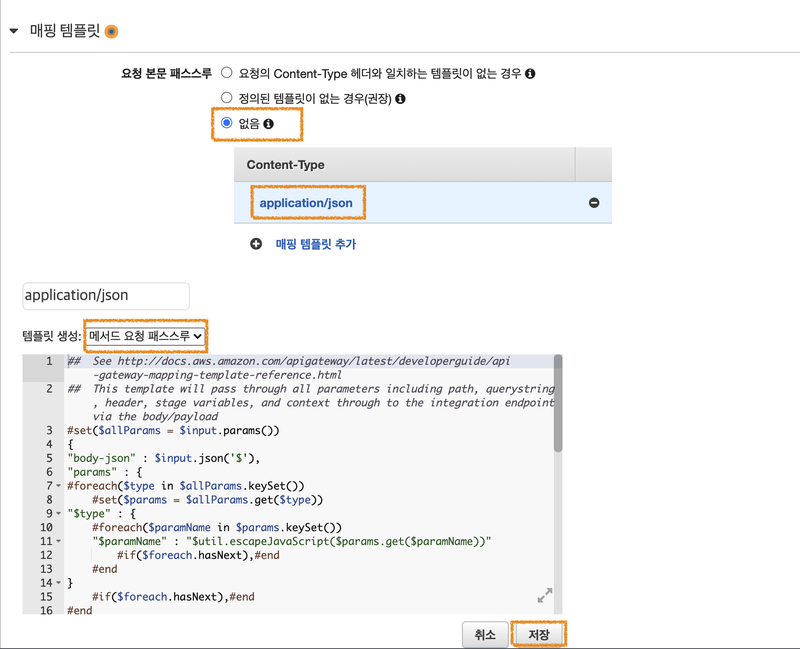
저장 후 테스트 !
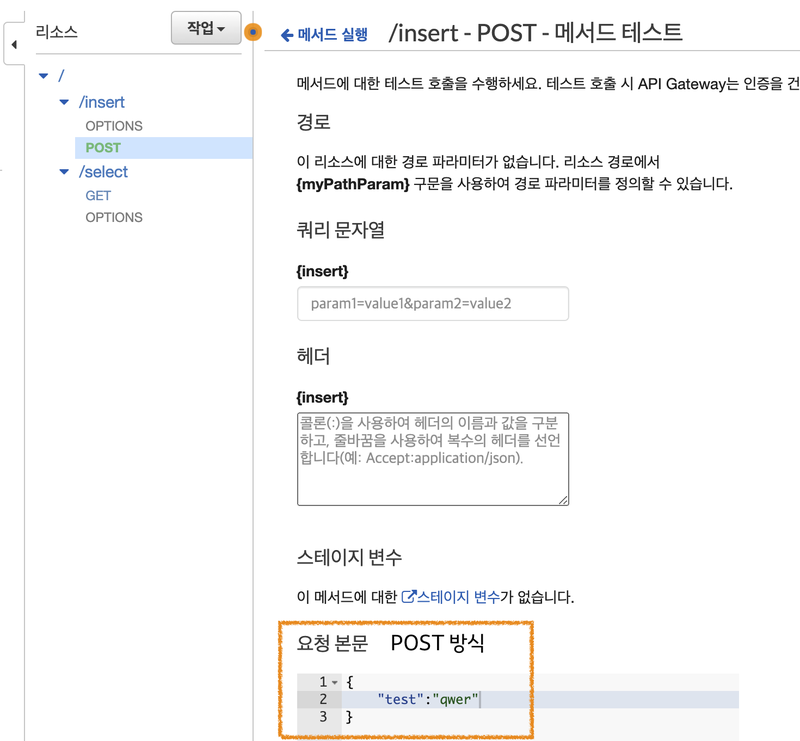
작성
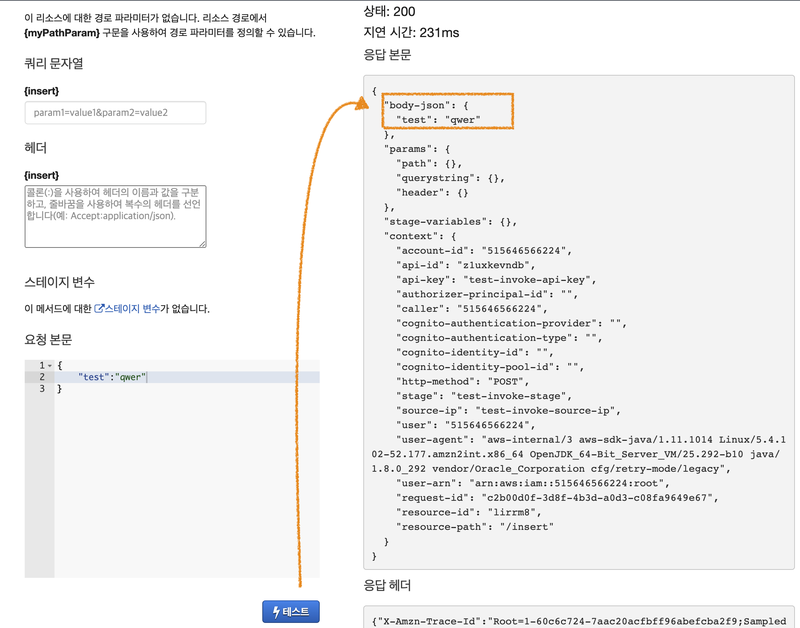
테스트.
매핑 템플릿 수정
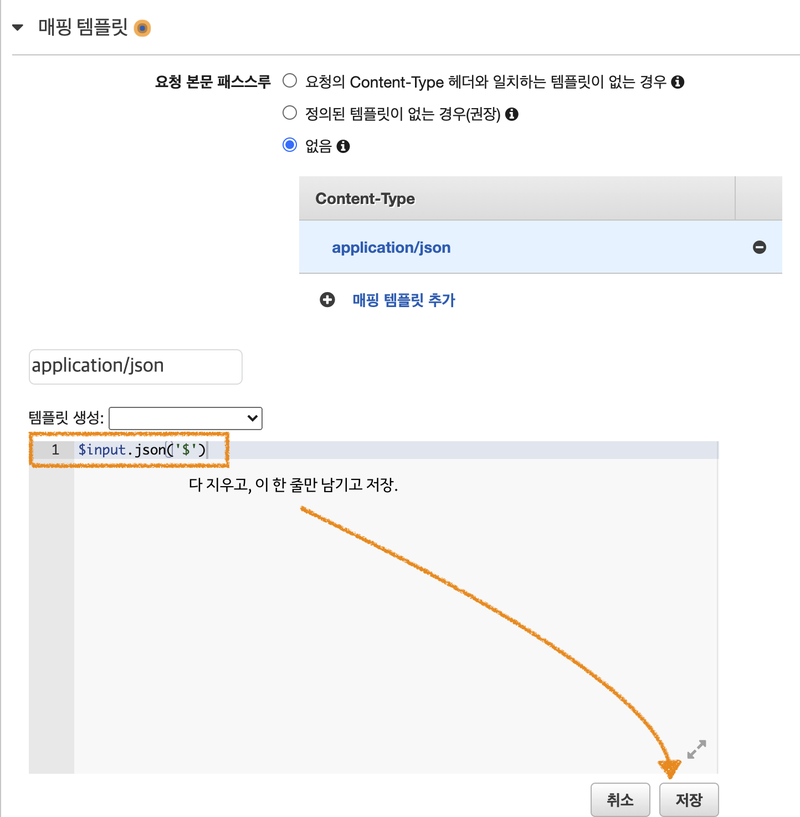
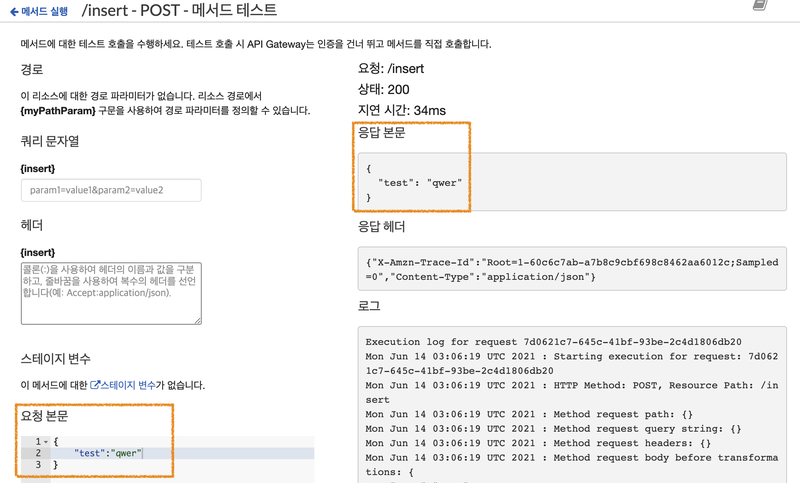
보낼 데이터를 body에, 그러니까
httpRequest.send(); 에 담아서 보낸다.
<!DOCTYPE html>
<html lang="ko">
<head>
<meta charset="UTF-8">
<title>POST-Ajax Request</title>
<script>
function sendRequest() {
var httpRequest = new XMLHttpRequest();
      httpRequest.onreadystatechange = function () {
if (httpRequest.readyState == XMLHttpRequest.DONE && httpRequest.status == 200) {
          document.getElementById("text").innerHTML = httpRequest.responseText;
}
};
var input = document.getElementById('input').value;

      httpRequest.open("POST", "https://z1uxkevndb.execute-api.ap-northeast-2.amazonaws.com/select_stage/insert", true);
      httpRequest.setRequestHeader("Content-Type", "application/json");
      httpRequest.send(input);
}
</script>
</head>
<body>
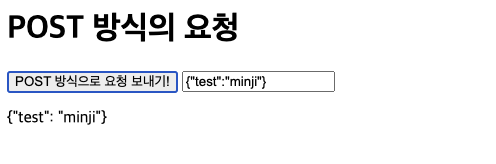
<h1>POST 방식의 요청</h1>
<button type="button" onclick="sendRequest()">POST 방식으로 요청 보내기!</button>
<input id="input" type="text">
<p id="text"></p>
</body>
</html>
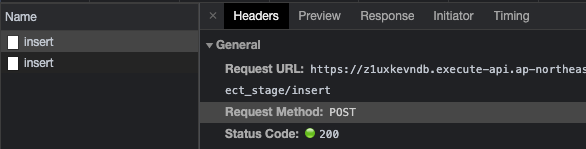
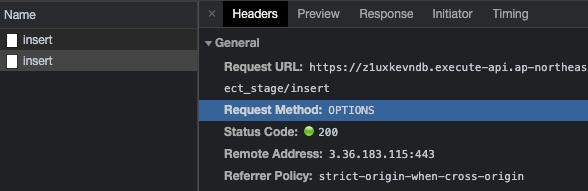
네트워크 패킷을 보면, 요청이 2번 간다.
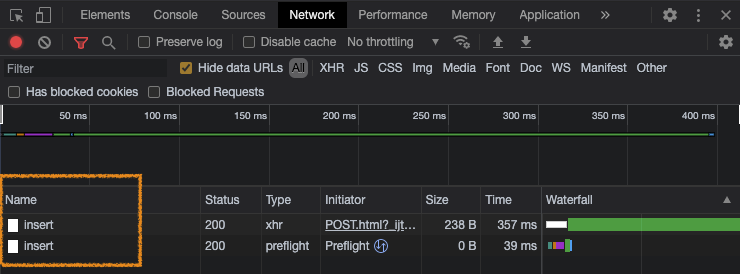
밑에 있는 것 : OPTION
위에 있는 요청 : POST